
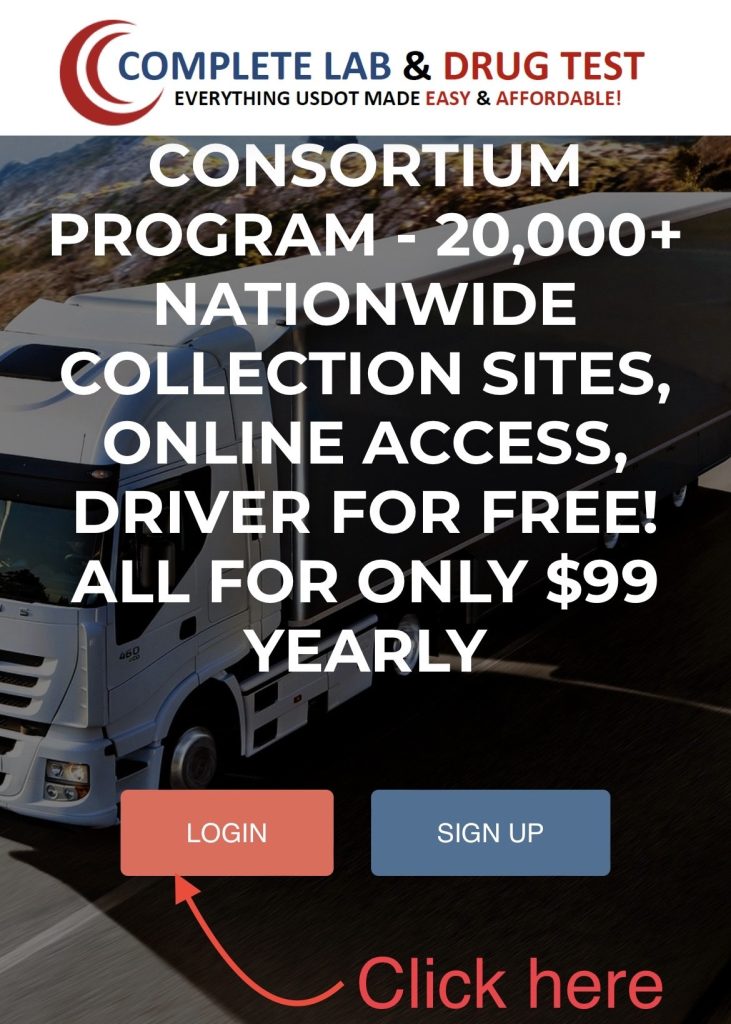
Step 1 — Go to the Login Page
Click the LOGIN button on the homepage (www.clabdt.com).
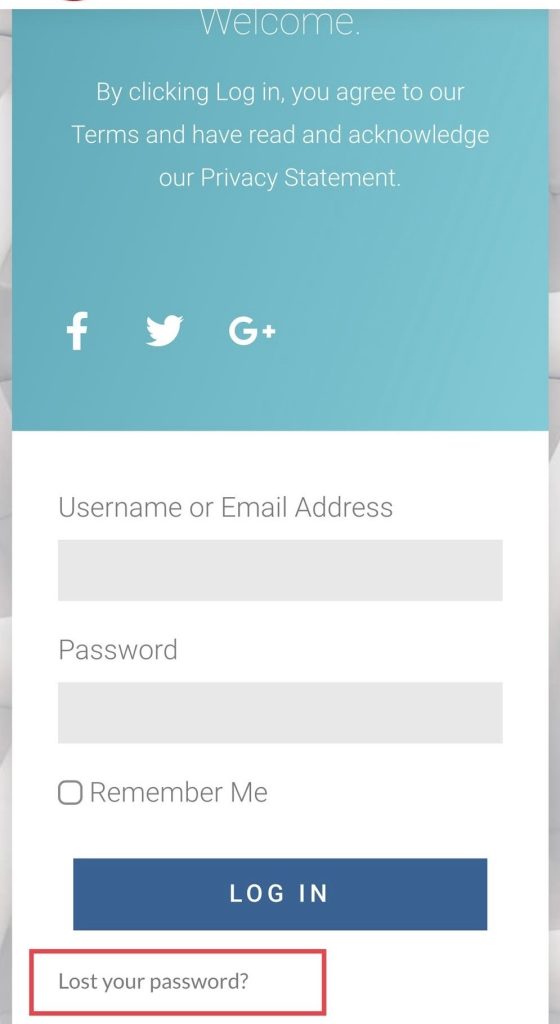
Step 2 — Click “Lost your password?”
At the bottom of the login page, select Lost your password?
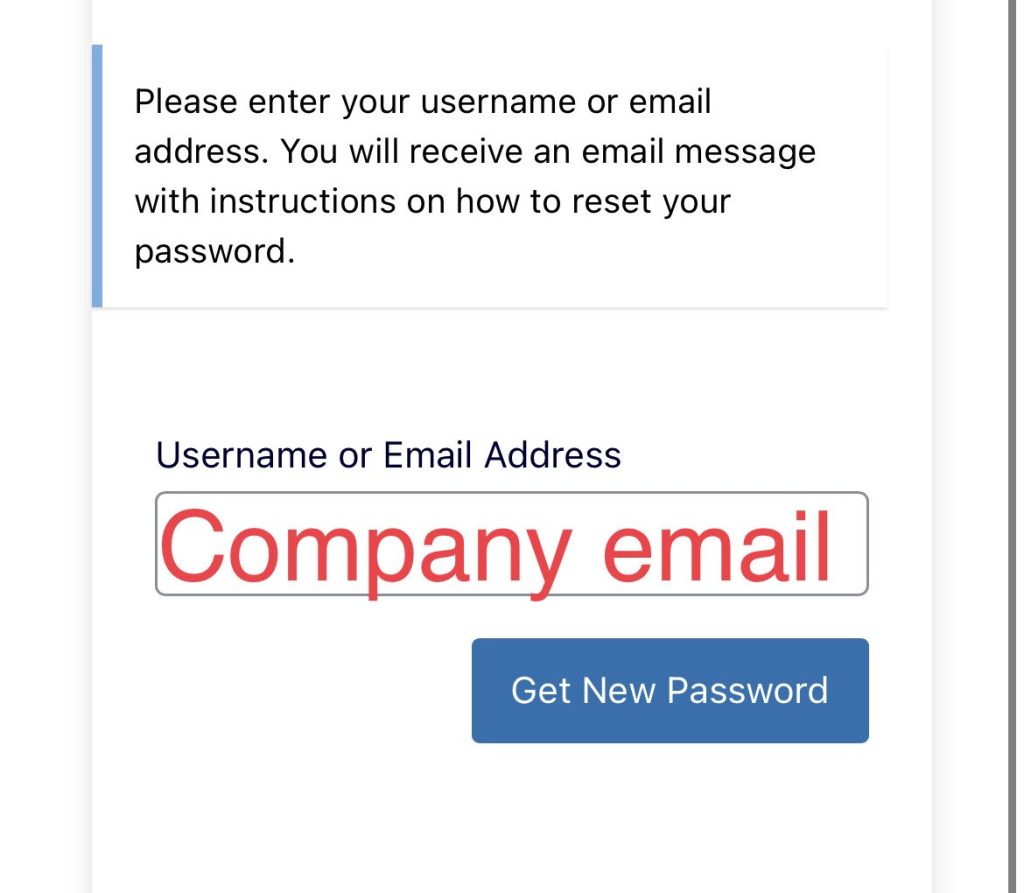
Step 3 — Enter Your Company Email
Type the email address associated with your account and click Get New Password.
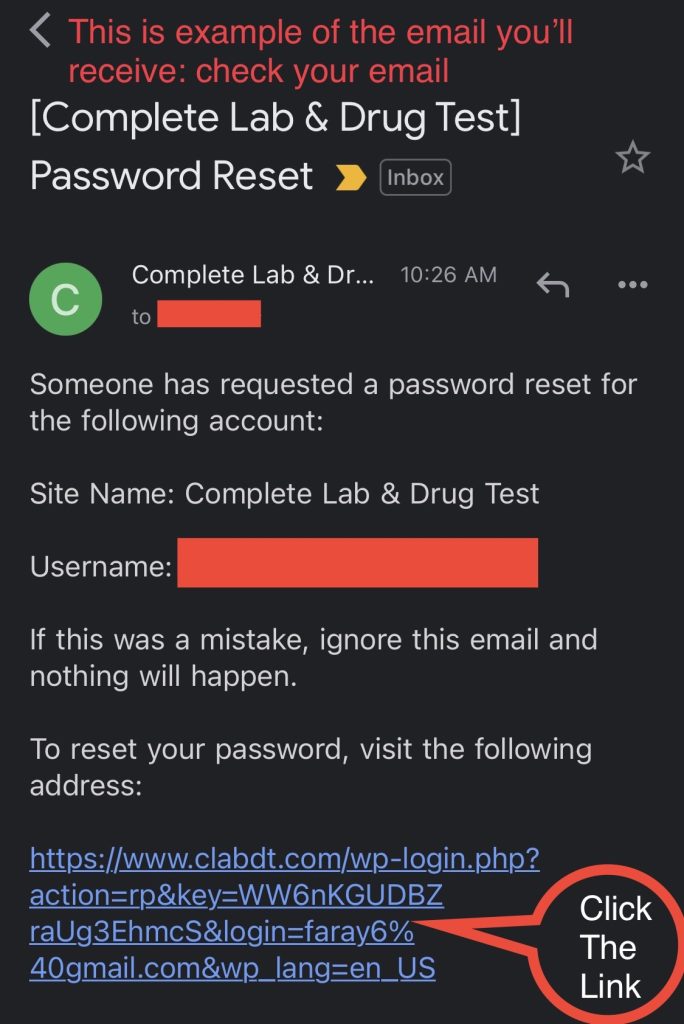
Step 4 — Check Your Email
You will receive a message titled:
[Complete Lab & Drug Test] Password Reset
Open the email and click the reset link.
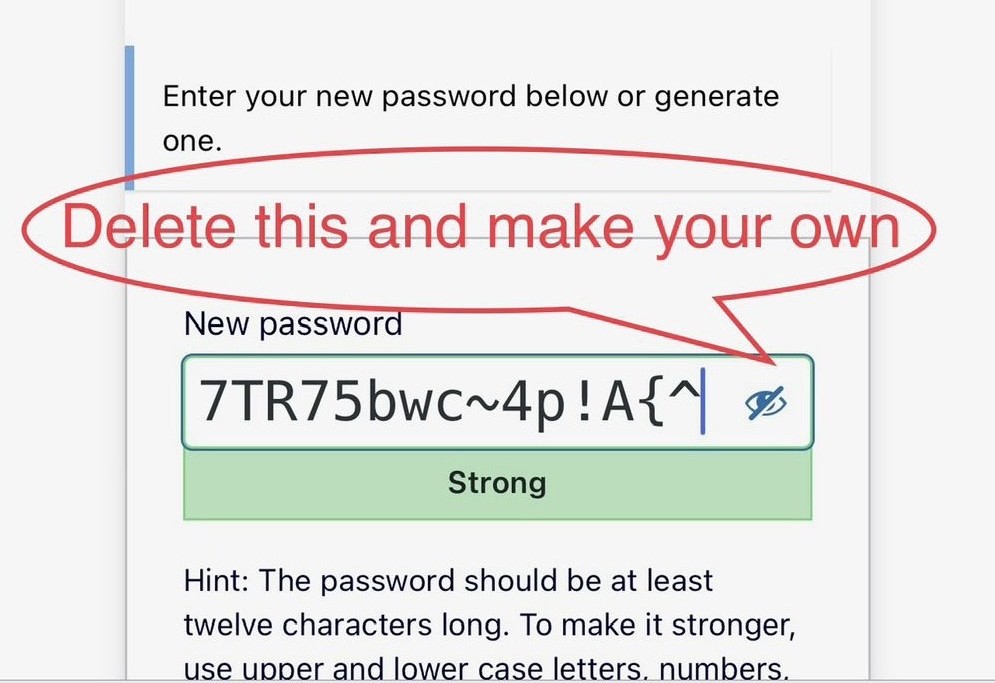
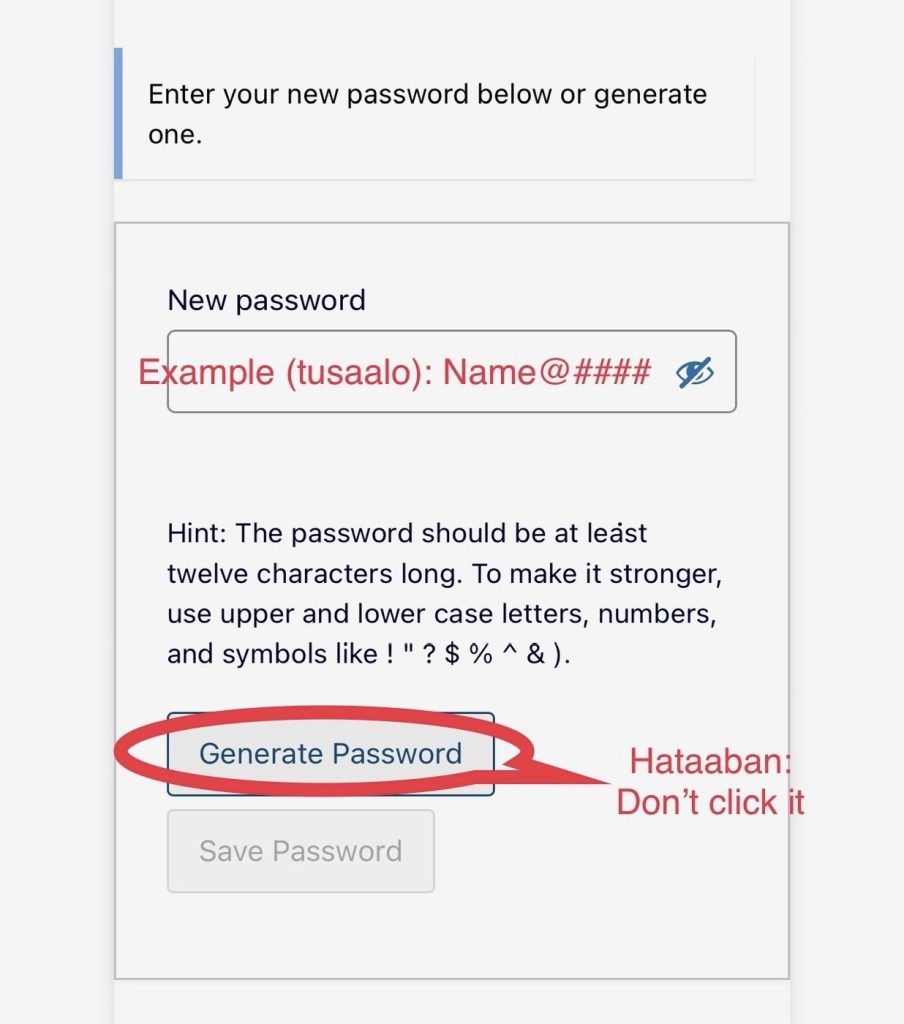
Step 5 — Create a New Password
Delete the auto-generated password and create your own.
👉 Do NOT click “Generate Password.”
👉 Use a password like this format: Name@####
Step 6 — Save Password
Click Save Password, then return to the login page and sign in with your new password.
✔️ You’re Done!
Your password has now been successfully reset.
If you still cannot log in, contact support at:
📧 support@clabdt.com
📞 (614) 269-7612